Managing your payment account
Review payments, track payouts, issue refunds, and maintain your business information from Worthify.
Overview
Your payment account brings together your shop’s payment records, payouts, and business information. Use it to review individual payments, issue refunds, track funds being paid out to your bank, and keep your account details current.
Open your payment account
Open Payment account in your Worthify dashboard.
Once your account is connected, you’ll find three tabs: Payments, Payouts, and Account.
Payments are powered by Stripe. You can manage payment activity, refunds, payouts, and account information from within Worthify.
Review payments
The Payments tab lists your payment activity, including the date, status, amount, and payer email where available.
Use the filters to find payments by:
Amount.
Email.
Date.
Status.
Payment method.
Select a payment to review its details, including processing fees, the net amount, and payment method information.
You can also export payment records using the export option.
Issue a refund
To refund a successful payment:
Find the payment in the Payments tab.
Open its details.
Select Begin refund.
Follow the prompts and review the refund before confirming.
Check your shop’s refund-fee preferences in Online shop → Settings to understand how processing fees are handled.
If you cancel a paid order while it is still Placed, Worthify automatically issues the refund. Check the payment’s status before issuing another refund.
Track payouts
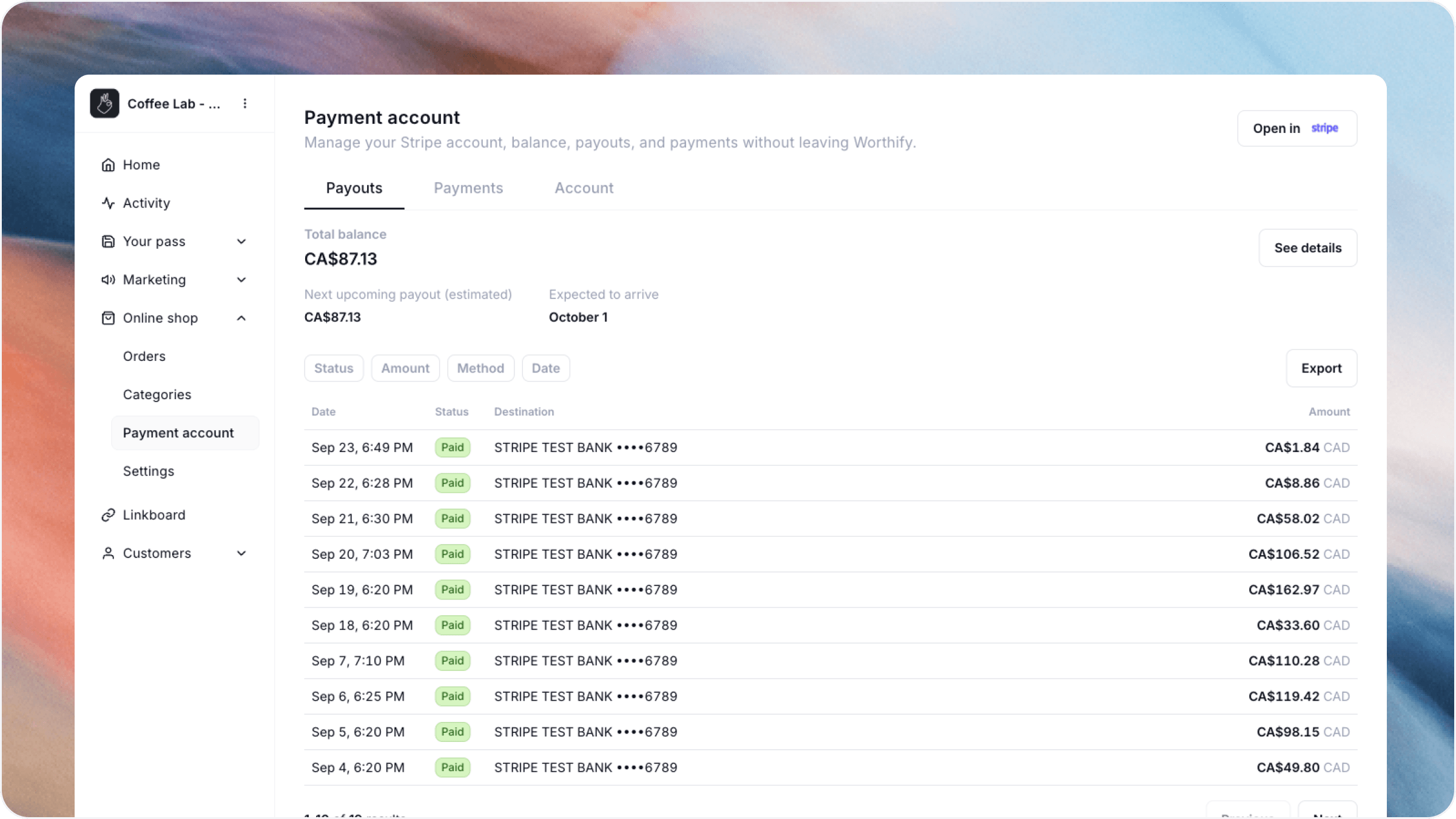
Open the Payouts tab to review:
Your account balance.
Your estimated next payout and arrival date.
Previous payouts, including their status, destination, and amount.
Open a payout to review its details, or use the export option to download payout records.
Estimated arrival dates can change. Check the payout’s current status when reviewing when funds are expected to arrive.
Maintain your account information
Open the Account tab to review your business details and public customer-facing information.
Use the available edit options to keep your information accurate. If you need additional account tools, use Open in Stripe.
FAQs
What is the difference between a payment and a payout? A payment is money collected from a customer. A payout transfers funds from your payment account to your bank account.
Does cancelling an order refund the customer? Yes, if the order has already been paid. Orders can only be cancelled while they are Placed, before preparation begins.
Where do I change taxes, tips, and fee preferences? Go to Online shop → Settings. These settings are separate from your payment records and payout information.
Was this helpful?
Still need help? Ask the team