Payments overview
Accept payments in person and online, with checkout options that fit how your shop serves customers.
Overview
Worthify connects payments to your shop’s catalog, orders, and customer pass. You can take payments through Worthify Go, let customers pay when ordering online, or complete payment by scanning their pass at pickup.
You manage payments, refunds, payouts, and checkout preferences from Worthify.
Payments are powered by Stripe.
Enable payments for your shop
To start collecting payments, connect your payment account and complete verification.
Once your account is verified:
The Charge tab becomes available in Worthify Go.
You can connect Tap to Pay or supported payment hardware.
Online card payments and Pass checkout become available.
You can create your online shop and accept Pay in store orders before connecting your payment account.
Take payments in person
Use Worthify Go to enter an amount or select items from your Online Shop catalog.
Customers can pay using:
Tap to Pay on a supported device.
M2 reader in the US, paired with a phone or tablet.
WisePad 3 reader in Canada, paired with a phone or tablet.
S710 terminal, running Worthify Go.
After a successful payment, you can send a receipt by email.
Offer online checkout
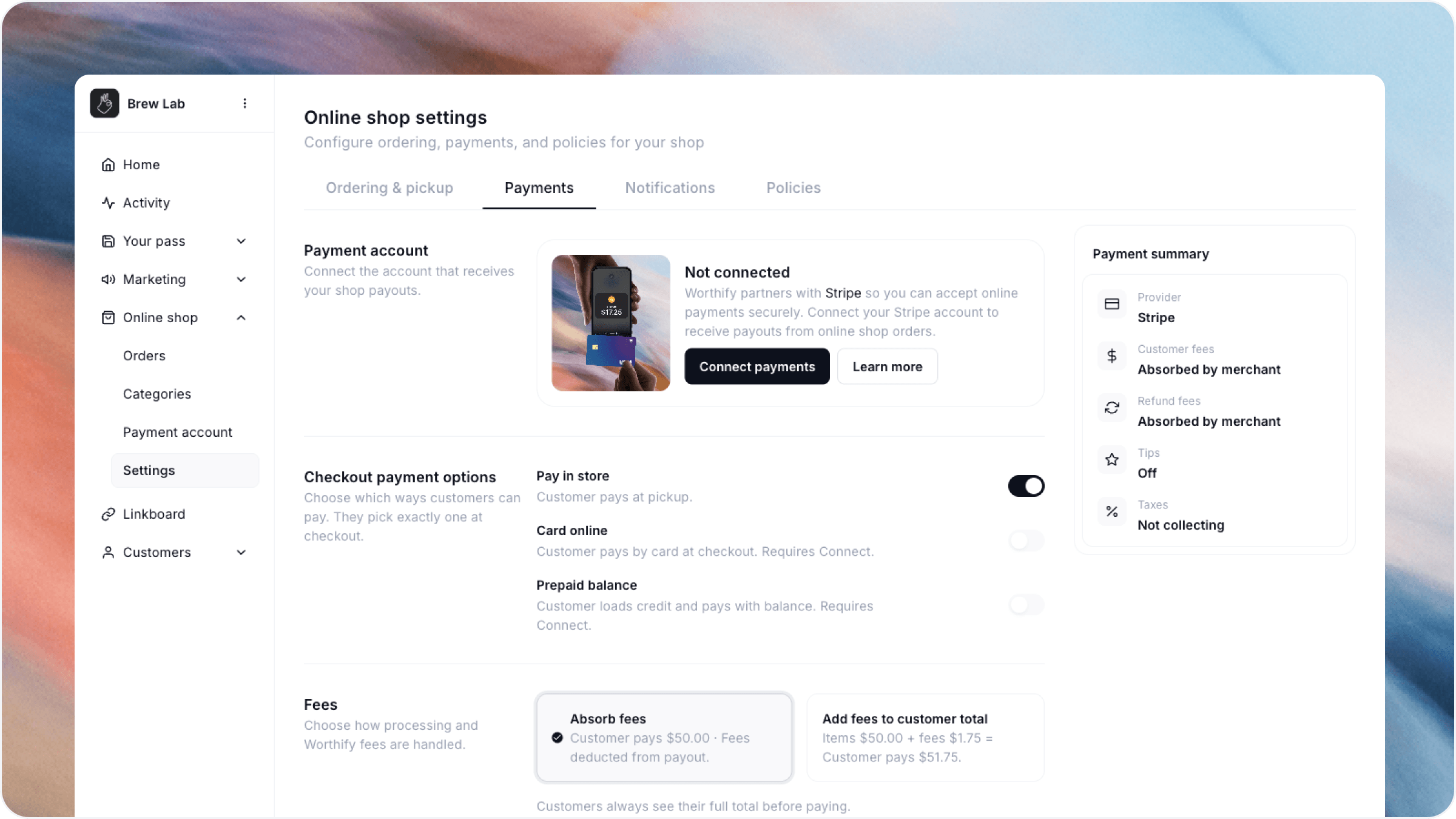
Choose the available payment methods you want to offer from Online shop → Settings.
Prepaid balance and Pass checkout are different. Prepaid balance uses shop credit at online checkout. Pass checkout completes payment with a saved card when you scan and confirm the order at pickup.
Control your checkout preferences
From Online shop → Settings, you decide:
Which available payment methods to offer.
Whether to charge taxes and which rates apply.
Whether your shop absorbs payment fees or passes them to customers.
Whether to offer tips.
How processing fees are handled for refunds and cancellations.
Review payments and payouts
Go to Online shop → Payment account to review payment activity, open payment details, issue refunds, and track payouts to your bank.
A payment is money collected from a customer. A payout transfers funds from your payment account to your bank account.
Handle refunds
You can begin a refund from a payment’s details in your payment account.
Cancelling a paid online order automatically issues a refund. Orders can only be cancelled while they are Placed, before moving to Preparing.
FAQs
Do I need to offer rewards to accept payments? No. Rewards are optional.
Do I need a card reader? You can use Tap to Pay on a supported device. Readers and terminals provide additional ways to accept in-person payments.
Can I accept online orders before enabling payments? Yes. Customers can place orders using Pay in store until your payment account is connected and verified.
Was this helpful?
Still need help? Ask the team