Starting your free trial
Activate your pass and start signing up your first customers.
Before you start
Set up your shop’s pass and program first. Your program can include rewards, but rewards are optional.
You can prepare your shop before going live. Starting your free trial activates your pass for customers.
Start your free trial
Open your Worthify dashboard.
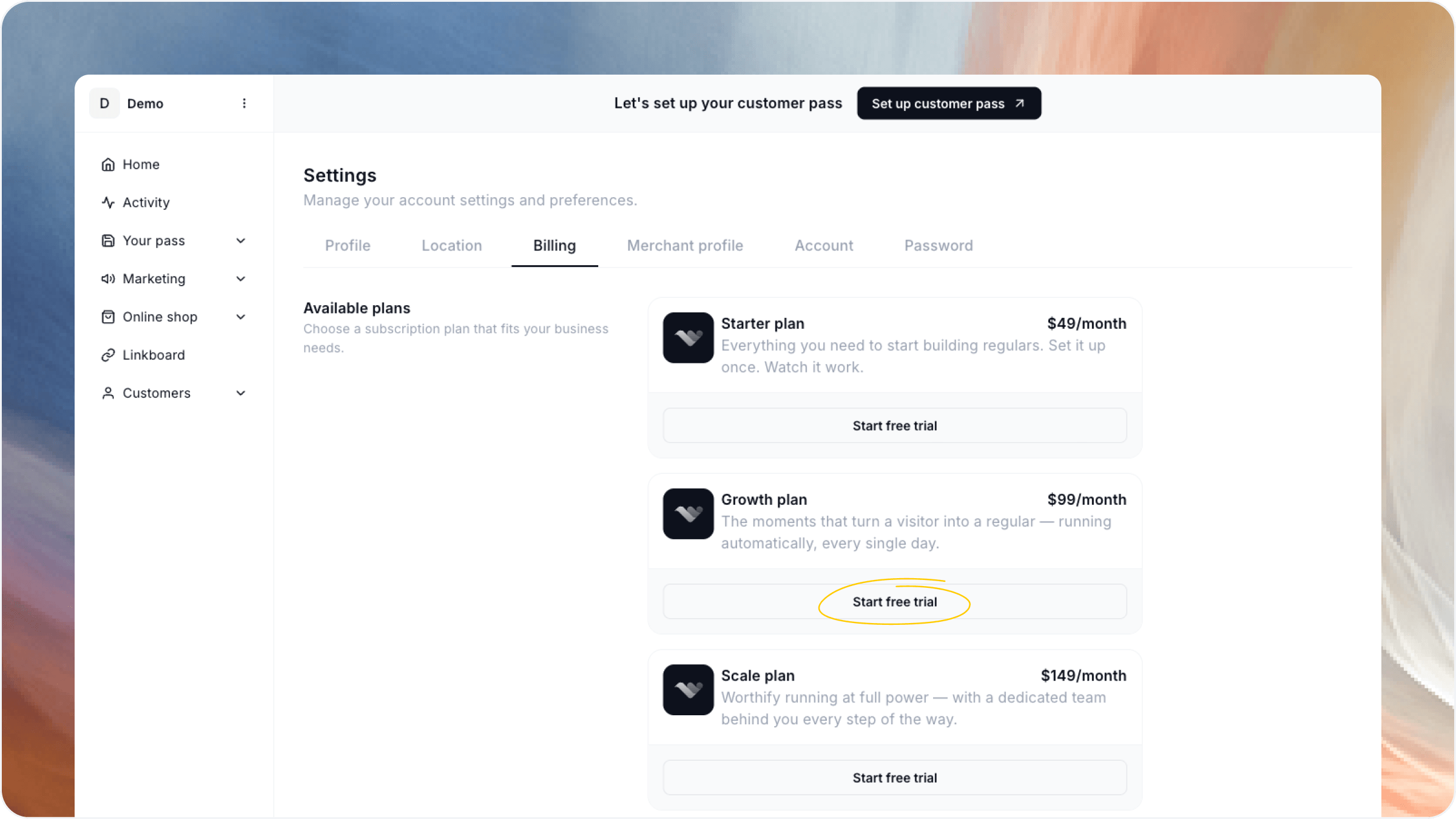
Select the free-trial option in your setup checklist, or go to Settings → Billing.
Review the available plans and choose the one that fits your shop.
Start your free trial.
No credit card is required to start your trial.
What happens when your pass goes live?
Customers can scan your QR code or open your sign-up link to join your shop and save your pass to Apple Wallet or Google Wallet.
If you’ve enabled rewards, customers can also start earning points and working toward your rewards.
Going live activates your pass. To collect payments through Worthify, you’ll also need to finish setting up and verifying your payment account.
FAQs
Do I need to offer rewards to go live? No. Setting up your program is required, but adding rewards is optional.
Can I change plans later? Yes. You can manage your plan from Settings → Billing.
Where can I see pricing and what each plan includes? Go to Settings → Billing to review the available plans and their features.
Was this helpful?
Still need help? Ask the team